 Hi guys, in this post I wrote how can we use Value Stream Mapping as a tool to help with system thinking. Many people asked me if I could explain better what Value Stream Mapping is. Therefore, in this blog, I will give a short introduction about it and I will explain how you can use it as a gathering data for your retrospective.
Although value stream mapping is often associated with manufacturing, it is also used in logistics and supply chain, service related industries, healthcare, software development, product development, and administrative and office processes. Value stream mapping is a lean manufacturing technique used to analyze and design the flow of materials and information required to bring a product or service to a consumer. At Toyota, where the technique originated, it is known as “material and information flow mapping”. It can be applied to nearly any value chain. But how can you use this in your team?
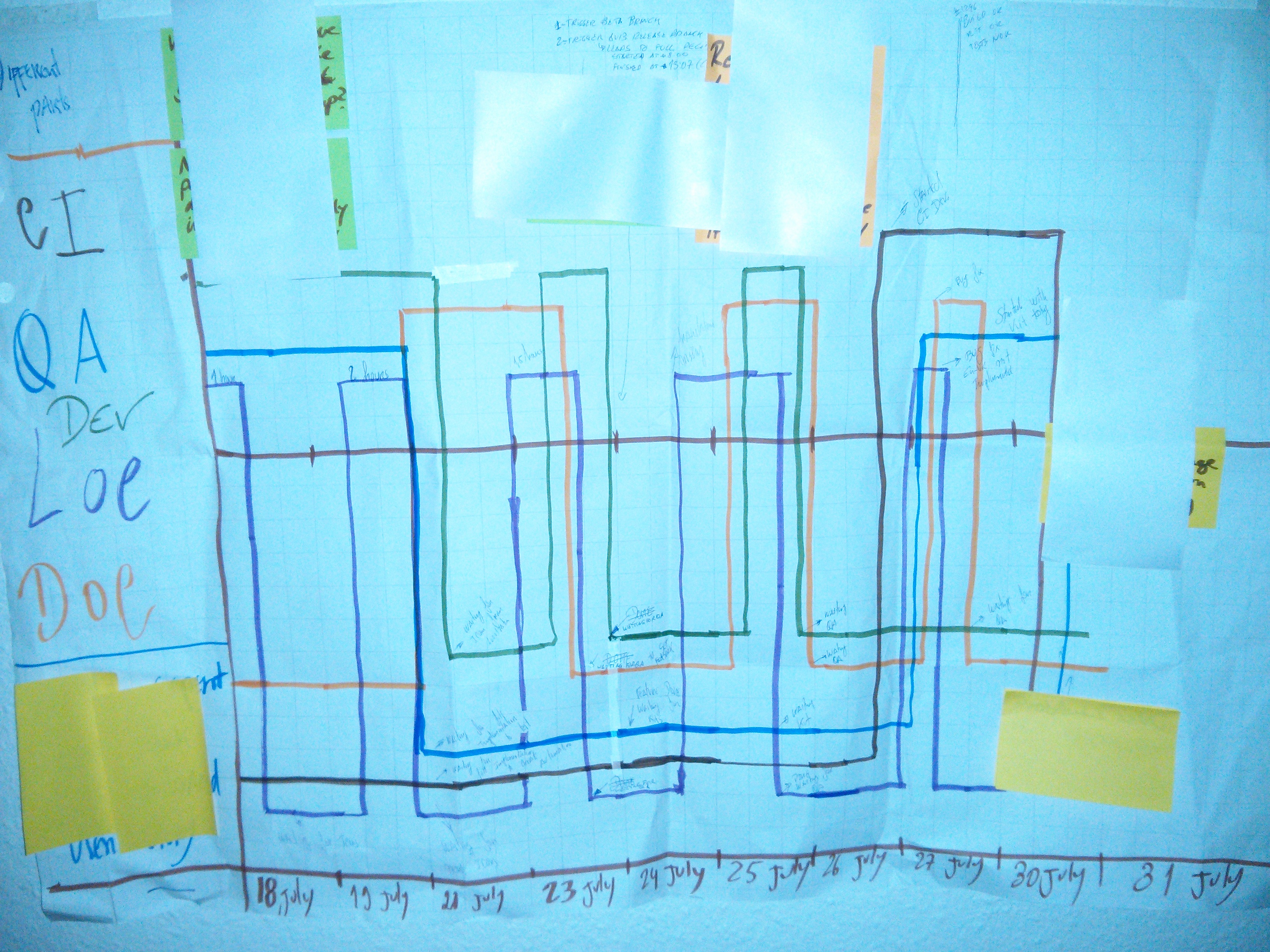
The easiest way to do this is to grab some flip-chart papers and tape them on the wall, then divide the space in equal intervals, each interval represents a day of the iteration. Draw a line on the Y axis, this line should be on the position Y=0. If they are doing any activity that will bring value to the customer, tell to each member to draw a line on top of the Y axis line. On the other hand,draw a line under the Y axis line, if they are waiting or blocked by something. They need to do this activity everyday in order to to track all different activities inside the team. Do not forget to write notes when people are blocked or in IDLE; these notes are important to be discussed in the retrospective. The possible result can be something as the picture above seen above.
I guarantee you that you will have plenty of data for your retrospective at the end of the iteration. I tried this couple of times and I was surprised how many issues we find out, how many dependencies and blockers we had and so on. Having this information available will help the team to decide how and where they can improve.
P.S. On the picture, you can see different member roles. I know the setup is not perfect but it was what we could do at that time :) So, if you want to comment on the blog, try to ignore “non- optimal team setup”, instead focus on the activity.